
What Is an Automation Expert? (And Why Your Ops Team Needs One)

On this page
- What an Automation Expert Actually Does
- Tools an Automation Expert Should Know
- The 5 Signs Your Ops Team Needs an Automation Expert
- What Gets Built in the First 90 Days
- Automation Expert vs Operations Manager vs Developer
- The ROI Math
- Real-World Automation Builds That Pay for the Role Twice Over
- Common Mistakes That Tank Automation Projects
- Building the Operations Team Around Automation
- The Automation Maturity Curve and What to Build at Each Stage
- FAQ
Every growing business hits the same wall: process gets done by humans clicking buttons in 6 different tools. Onboarding a new customer takes 14 manual steps. Reporting takes 3 hours per week of copy-pasting between spreadsheets. Lead handoffs between marketing and sales rely on someone remembering to forward an email. The hidden cost is enormous and invisible.
An Automation Expert exists to eliminate that hidden cost. This guide breaks down what the role actually does, the tools they use, what gets built in the first 90 days, and when your ops team needs one.
What an Automation Expert Actually Does
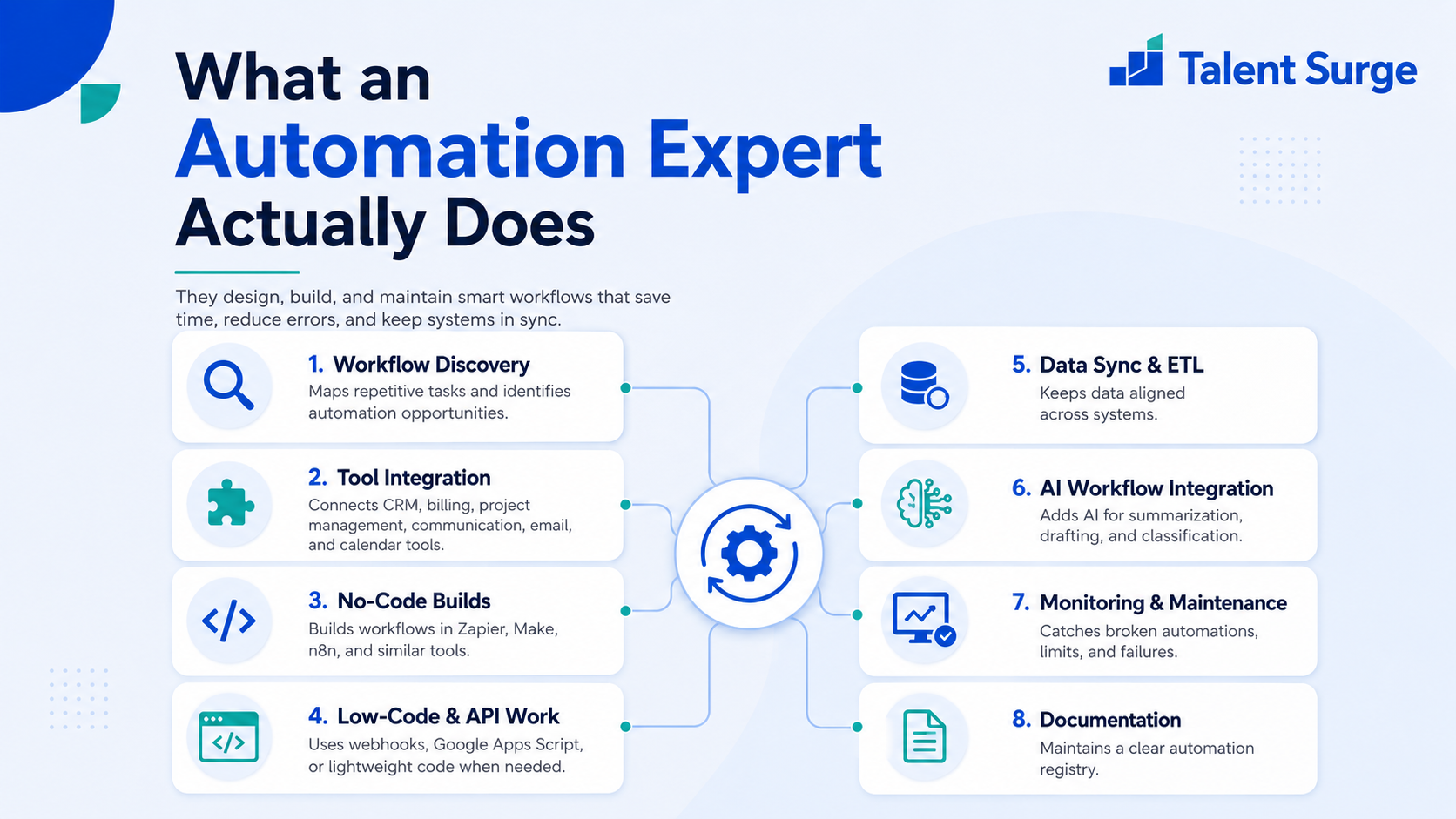
An Automation Expert maps manual workflows, identifies what can be automated, builds the automation in tools like Zapier, Make, n8n, or directly through APIs, then monitors and maintains those automations long-term.
Their core scope:
- Workflow discovery: Sitting with each team (sales, ops, finance, marketing) and mapping repetitive tasks
- Tool integration: Connecting your tech stack (CRM, billing, project management, communication, email, calendar)
- No-code automation builds: Zapier, Make (formerly Integromat), n8n, Pabbly
- Low-code and API work: Custom webhooks, Google Apps Script, simple Python/Node scripts for tasks no-code cannot handle
- Data sync and ETL: Keeping data consistent across CRM, billing, support tools, and warehouses
- AI workflow integration: ChatGPT API, Claude API, OpenAI embeddings - injecting AI into existing workflows for summarisation, drafting, classification
- Monitoring and maintenance: Catching broken Zaps, API rate limits, deprecated endpoints before they cause silent failures
- Documentation: Maintaining a registry of automations so your team knows what runs where
Tools an Automation Expert Should Know
| Category | Tools |
|---|---|
| No-code automation | Zapier, Make (Integromat), Pabbly, IFTTT |
| Open-source / self-hosted | n8n, Node-RED, Activepieces |
| CRM and sales | HubSpot, Salesforce, Pipedrive, GoHighLevel, Close |
| Email / SMS | Klaviyo, Mailchimp, Twilio, SendGrid, Postmark |
| Communication | Slack, Microsoft Teams, Discord webhooks |
| Project / ops | Asana, ClickUp, Monday, Notion, Airtable |
| Data and reporting | Google Sheets, Looker Studio, Airtable, Coda |
| AI | OpenAI API, Anthropic Claude API, perplexity, custom GPT actions |
| Code (light) | Google Apps Script, Python scripts, Node.js webhooks |
The 5 Signs Your Ops Team Needs an Automation Expert
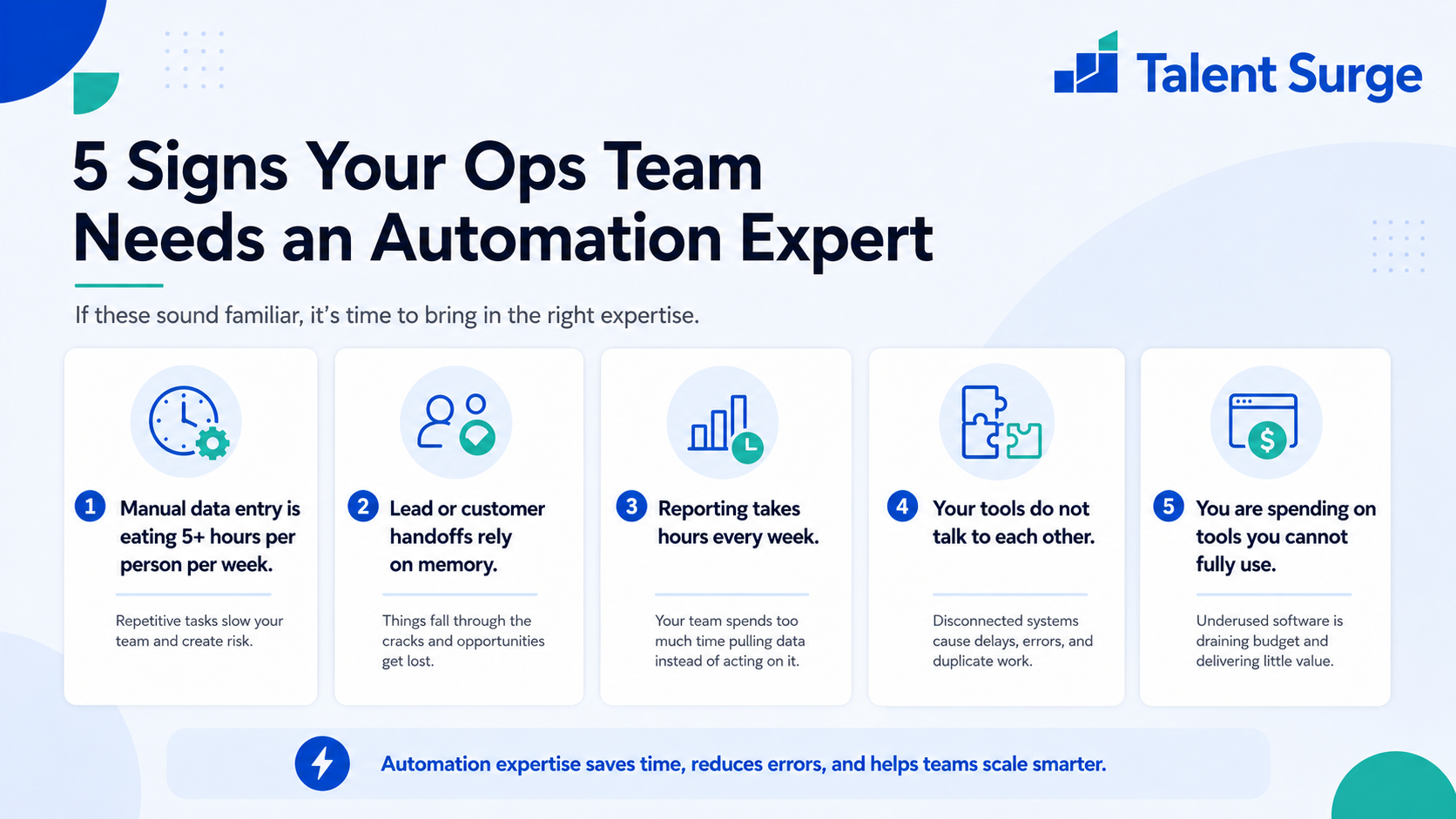
1. Manual data entry is eating 5+ hours per person per week
If your team is copy-pasting between tools, retyping the same info into multiple systems, or maintaining spreadsheets that mirror data already in other tools, automation pays back in days, not months.
2. Lead or customer handoffs rely on memory
"Hey, can you forward me that lead?" is a sign. Automation routes leads, customers, tickets, and deals automatically based on rules so nothing falls through.
3. Reporting takes hours every week
If someone is pulling data from 4 tools into a Google Sheet every Monday to build a report, that is 4-8 hours/week of automatable work. Automation Experts build live dashboards that update themselves.
4. Your tools do not talk to each other
Stripe payments not syncing to your CRM. Calendar bookings not creating records in HubSpot. Support tickets not creating tasks in your project management tool. These integration gaps cost more than the automation work to fix them.
5. You are spending on tools you cannot fully use
Many SaaS tools have integration and automation features that nobody on your team has the time to set up. An Automation Expert unlocks features you are already paying for.
Hidden manual work is the silent killer of growth. Hire an Automation Expert from $3/hr and reclaim 50-200 hours/month of team capacity.
What Gets Built in the First 90 Days
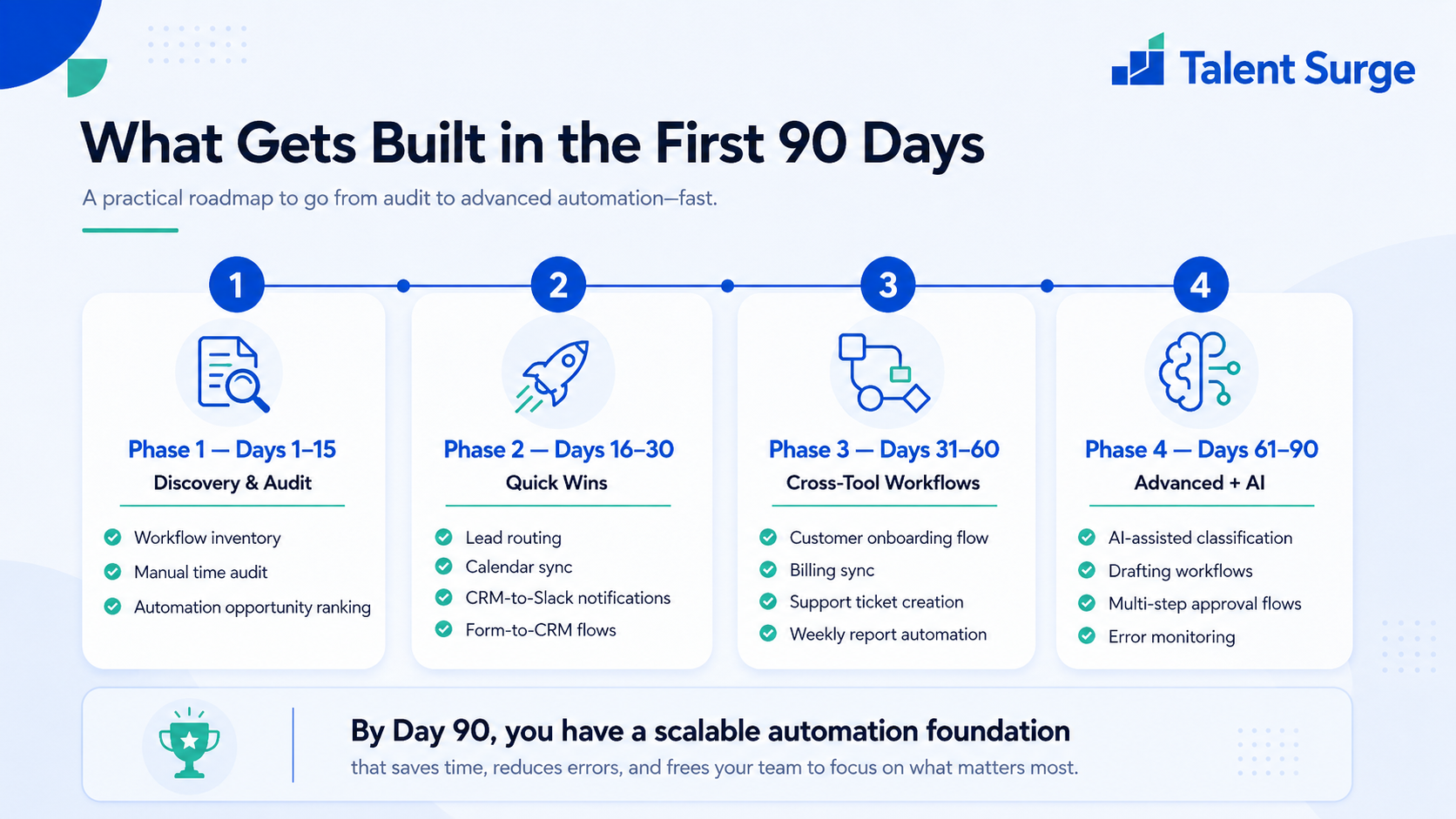
| Phase | Focus | Typical Builds |
|---|---|---|
| Days 1-15 | Discovery and audit | Workflow inventory, manual time audit, automation opportunity rank |
| Days 16-30 | Quick wins | Lead routing, calendar sync, CRM-to-Slack notifications, form-to-CRM flows |
| Days 31-60 | Cross-tool workflows | Customer onboarding flow, billing sync, support ticket creation, weekly report automation |
| Days 61-90 | Advanced + AI | AI-assisted classification, drafting workflows, multi-step approval flows, error monitoring |
Automation Expert vs Operations Manager vs Developer
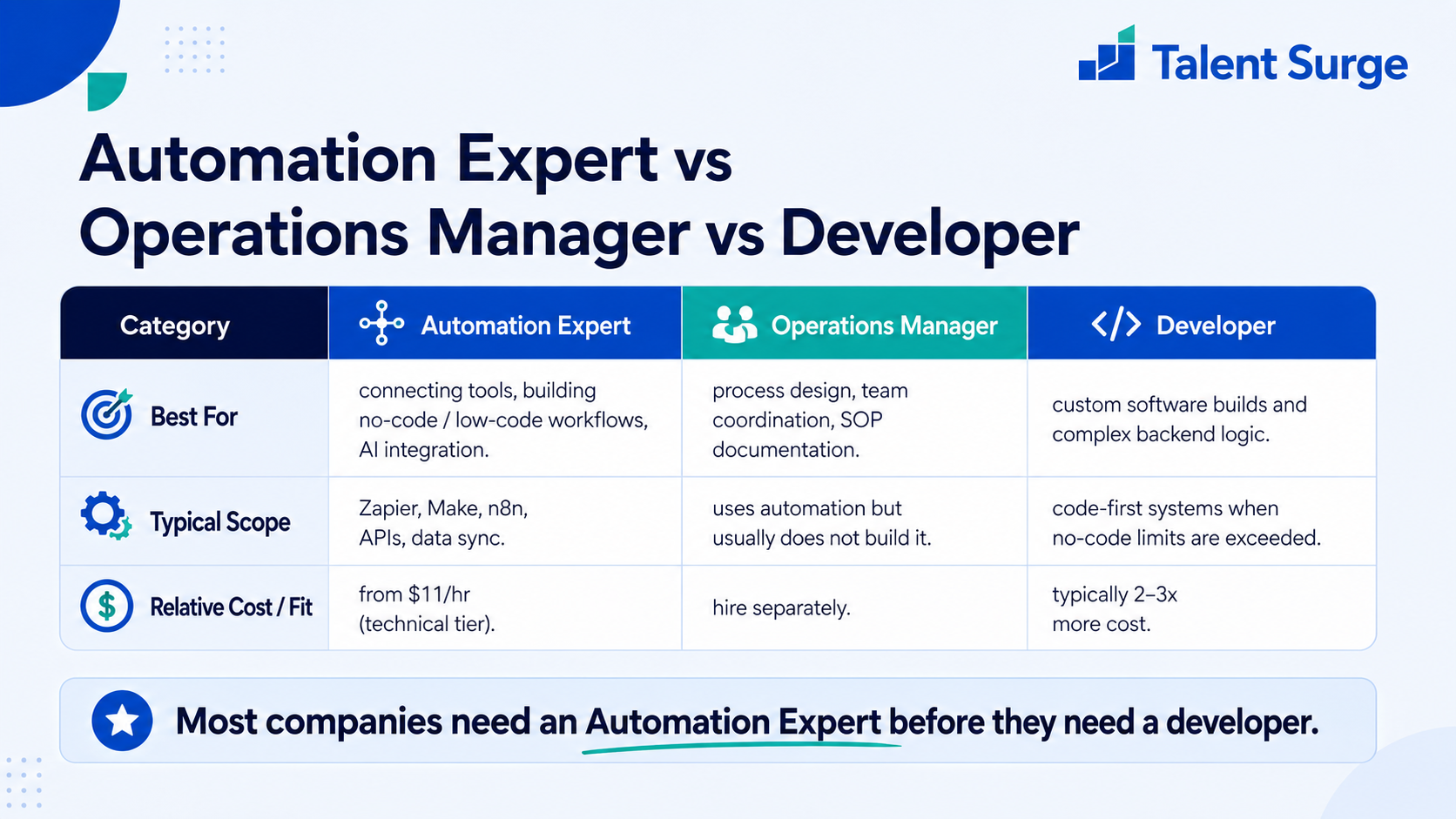
| Role | Best For | Cost (Talent Surge Expert) |
|---|---|---|
| Automation Expert | Connecting tools, building no-code/low-code workflows, AI integration | From $11/hr (technical tier) |
| Operations Manager | Process design, team coordination, SOP documentation - typically uses automation, does not build it | Hire separately |
| Full-stack Developer | Custom software builds, complex backend logic, anything that exceeds no-code limits | Typically 2-3x more cost |
Most companies need an Automation Expert before they need a developer. 80% of automation work fits in Zapier or Make - hiring a developer for it is overkill and overpriced.
The ROI Math
An Automation Expert at the Talent Surge Expert tier costs $1,760/month (technical tier, 160 hours). If they save your team 80 hours per month across roles (a conservative estimate after 60 days), at an average team hourly value of $40-$60/hour, the recovered capacity value is $3,200-$4,800/month. That is a 2-3x return on the role in month one, growing as automations compound.
Real-World Automation Builds That Pay for the Role Twice Over
The 90-day plan is abstract until you see what actually gets built. Here are the automation patterns that show up most often in the first quarter of an engagement, ranked by how much time they recover.
Lead-to-CRM-to-Slack flow. A web form submission instantly creates a contact in HubSpot or Salesforce, assigns the lead by territory rules, posts a notification to the right sales rep's Slack channel, and schedules a follow-up task. Eliminates lead routing meetings entirely. Average time saved: 6-12 hours/week across a 3-person sales team.
Stripe-to-everything sync. A new payment in Stripe creates an invoice in your accounting tool, a customer record in your CRM, a welcome sequence in your email platform, an onboarding task in your project management tool, and a Slack notification to your customer success lead. Replaces a "new customer" checklist that nobody runs consistently. Average time saved: 4-8 hours/week.
Calendar-and-meeting automation. Booked Calendly call creates a CRM activity, generates a Loom recording link, sends a pre-meeting prep email with relevant context, and posts a brief summary to Slack after the call (using AI transcription). Average time saved: 5-10 hours/week for a sales-driven team.
Weekly KPI dashboard. Data pulled from Stripe, HubSpot, GA4, Meta Ads, and Google Ads aggregated into a Looker Studio or Google Sheets dashboard that updates automatically. Replaces a 3-4 hour Monday morning reporting ritual. Average time saved: 12-16 hours/month per company.
AI-assisted email triage. Inbound emails classified by intent (sales, support, partnership, spam) using an LLM, routed to the right inbox or auto-replied where appropriate. Average time saved: 5-10 hours/week per founder or operator.
Common Mistakes That Tank Automation Projects
- Automating broken processes. A bad process automated is just a bad process running faster. Always document the process first, fix what is clearly broken, then automate.
- Skipping error handling. Automations fail silently when an API rate-limits or a tool deprecates a field. Without error monitoring (Slack alerts, retry logic, daily health checks), broken automations create downstream chaos that takes weeks to trace.
- No documentation. Twelve months in, your team uses 40+ automations and nobody knows what they all do. Every Automation Expert should maintain a living registry: what each automation does, what tools it touches, what triggers it, who owns it.
- Treating Zapier limits as the ceiling. When a workflow exceeds Zapier's complexity sweet spot (more than ~10 steps with branching logic), the right move is Make or n8n or a lightweight code script - not a Frankenstein chain of 25 Zaps.
- Buying the wrong tool tier. Most companies overpay on Zapier (top tier) when Make offers more flexibility per dollar. An Automation Expert audits your tool spend in week one and usually finds 30-50% savings.
Building the Operations Team Around Automation
Automation work compounds when paired with adjacent operations roles. The natural team build for a company at $2-10M revenue:
- A Automation Expert as the systems builder.
- A GoHighLevel Expert if your stack is GHL-centric (especially common for agencies and local-service businesses).
- A Virtual Executive Assistant who owns daily operational execution that does not yet need automating.
- A Customer Support Agent whose ticket workflow is partially automated by the Automation Expert (ticket routing, smart drafts, escalation rules).
To model the full operations team cost against your current spend, the Cost Calculator compares Talent Surge tiers against US and other offshore market rates. For a deeper read on the managed offshore model versus freelance hiring, see the managed vs freelance comparison and the Offshore Hiring Guide.
The Automation Maturity Curve and What to Build at Each Stage
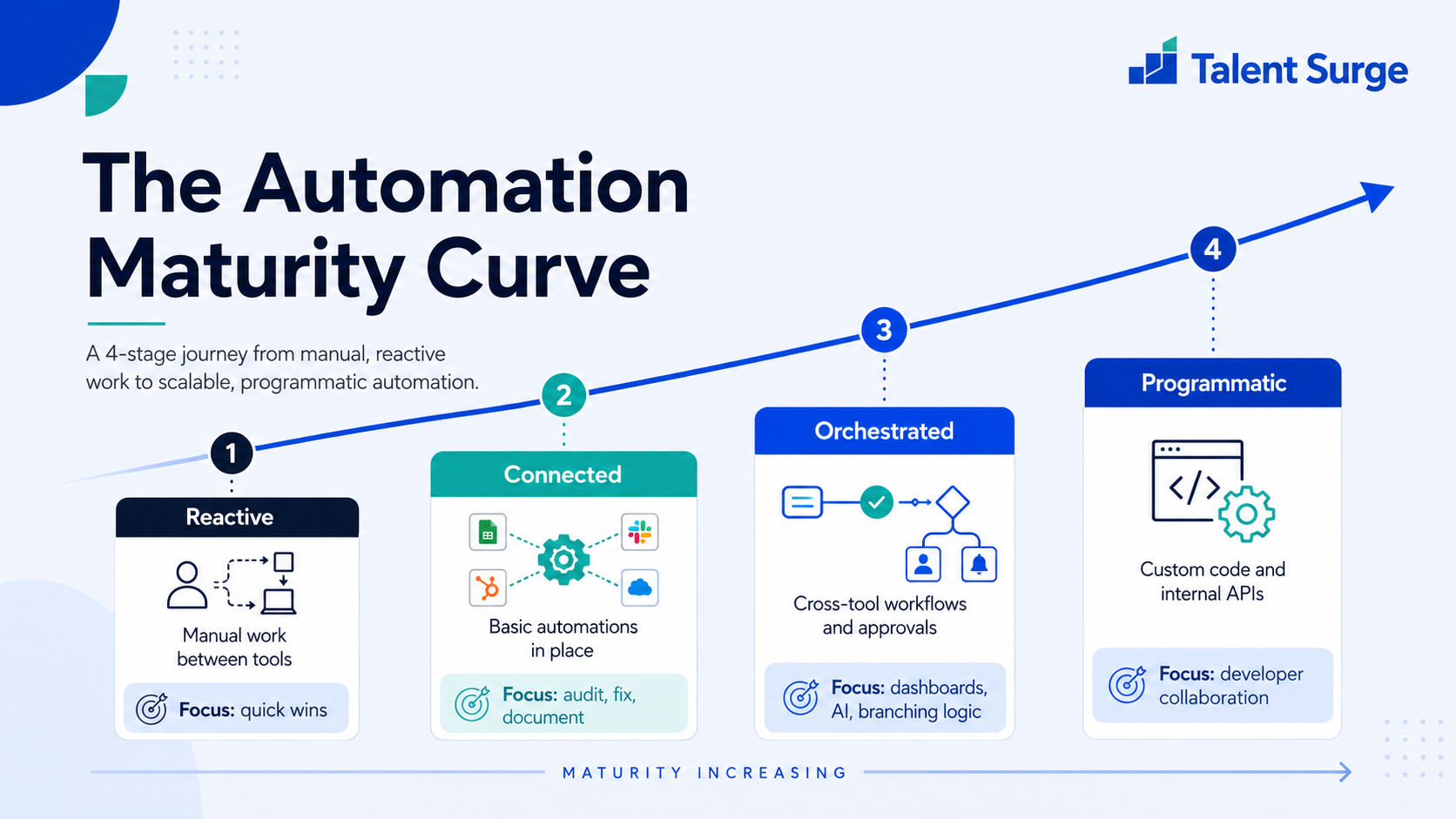
Automation programs follow a predictable maturity curve. Knowing where you are tells you what your new Automation Expert should actually focus on:
Stage 1 - Reactive (most companies under $1M revenue). No automation in place. Manual data entry between tools. Focus: high-frequency single-step automations that remove the most painful repetitive tasks first. Quick wins in weeks one and two build trust for bigger builds later.
Stage 2 - Connected (most companies $1-5M). Tools are connected via Zapier but most flows are brittle and undocumented. Focus: audit existing automations, fix what is broken, consolidate redundant flows, and add error monitoring. Build the central documentation registry.
Stage 3 - Orchestrated ($5-20M). Cross-tool workflows with branching logic and human approval gates. Focus: move complex flows from Zapier to Make or n8n for cost and flexibility. Build internal dashboards. Layer in AI where it produces measurable lift (email triage, content classification, response drafting).
Stage 4 - Programmatic ($20M+). Custom code components alongside no-code tools, internal APIs, event-driven architectures. At this point, the Automation Expert often pairs with a dedicated developer rather than working alone.
The mistake we see most often is companies at Stage 1 trying to skip directly to Stage 3 because they read about a clever AI workflow on Twitter. The maturity model exists for a reason: foundational reliability matters more than novel use cases.
FAQ
Do they write code?
Expert tier handles light scripting (Google Apps Script, simple Node.js or Python). For heavy custom development, pair with a developer. Pro tier specialists often have deeper coding fluency.
Can they integrate with our custom internal tools?
If your internal tools have an API, yes. If not, they can build webhooks or use polling-based workarounds. Internal tools without any API surface are harder - usually flagged in week one.
What about AI workflows specifically?
AI integration is a fast-growing scope. Automation Experts in 2026 typically know how to integrate OpenAI, Claude, and custom AI workflows for tasks like email classification, content drafting, lead scoring, and meeting notes summarisation.
How do I monitor automation quality remotely?
Standard practice: error monitoring through native Zapier/Make alerts, a Slack channel for automation failures, monthly review of automation registry with your BSE. Screen monitoring confirms active work during contracted hours.
What is the difference between an Automation Expert and a GoHighLevel Expert?
A GHL Expert specialises in GoHighLevel as a platform. An Automation Expert connects tools across your stack. If your stack is mostly inside GHL, hire a GHL Expert. If you have a multi-tool stack (HubSpot + Stripe + Asana + Slack + Klaviyo), hire an Automation Expert.
Stop paying humans to do robot work. Book a free discovery call and we will match you with a vetted Automation Expert in 14 days.
Take action today
Stop comparing. Start saving.
US businesses save 60-70% vs local hires. Get 3 pre-vetted offshore specialists matched to your exact role delivered in 14 days, free with no commitment.
Keep reading

Why Managed Remote Hiring Beats Freelancers Every Time
Freelancers disappear. Managed remote staff don't. Here's the real difference for US businesses.
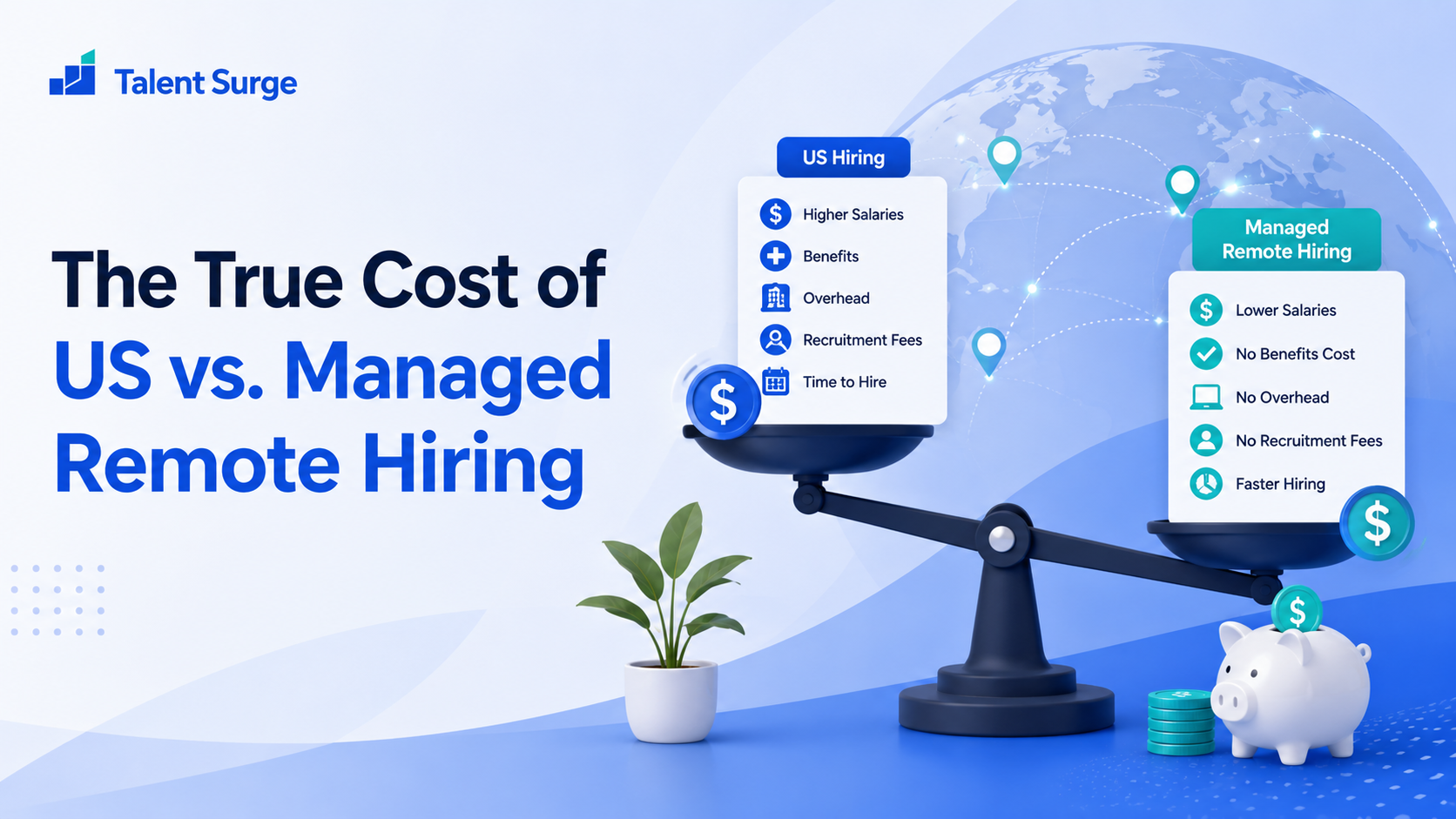
The True Cost of US vs. Managed Remote Hiring
The real cost of a US hire is salary plus benefits, taxes, recruiting, ramp, and management overhead. Here is the full math against a managed remote specialist.
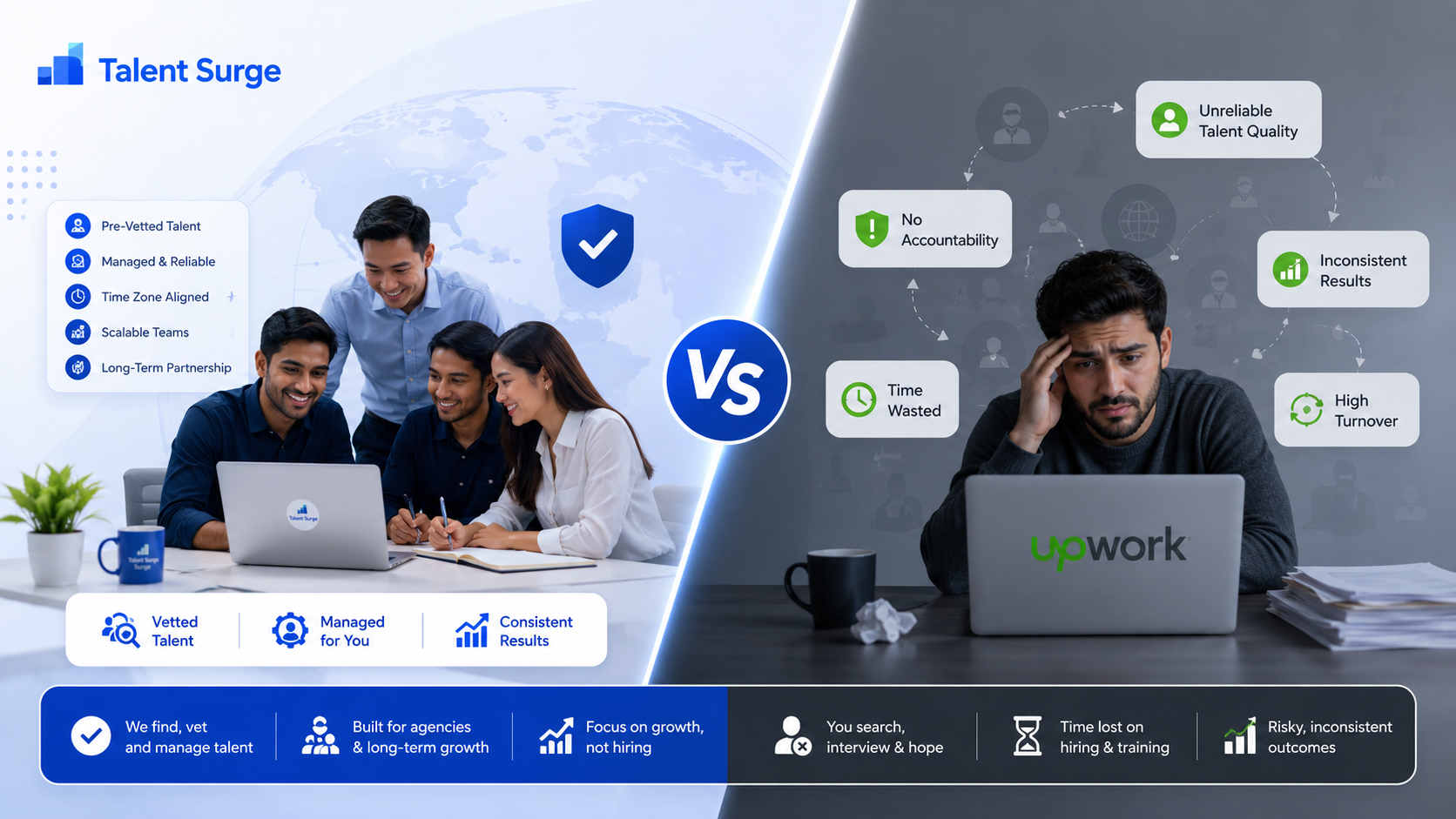
Talent Surge vs. Upwork: Why Agencies Are Switching to Managed Offshore Talent
Upwork is built for sourcing one-off work fast. Talent Surge is built for dedicated, managed specialists who stay. Here is the honest comparison of marketplace freelancers vs managed offshore talent, with cost math, risk, and when each one wins.